
To set up 'Cycle to Work' in Thesaurus Payroll Manager, a tax allowable deduction can be created.
To do this:
- go to Payslips > Weekly/Fortnightly/Monthly Input
- Choose the relevant employee and click into their Deductions section
- Enter a description (e.g. Bike to Work) in one of the fields provided for 'Deductions - tax allowable' and enter the periodic value of the deduction.
For example: if the total cost of the bicycle and equipment is €780 and the repayment period is 30 weeks, the weekly deduction amount will be €26.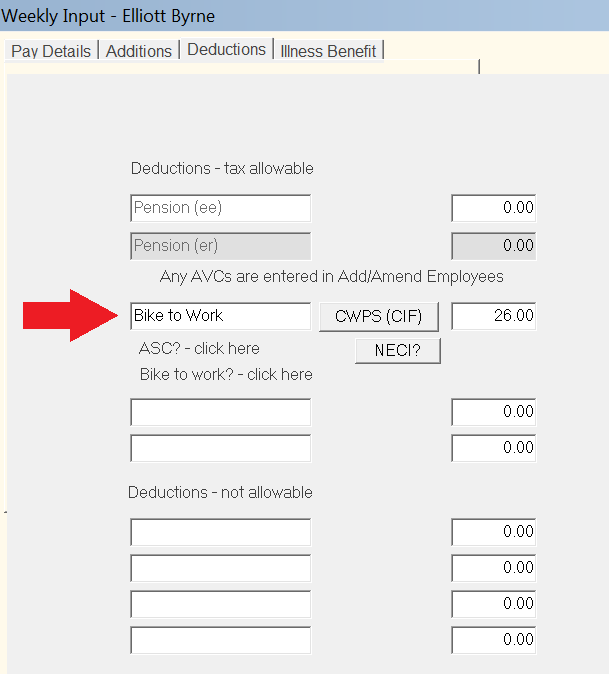
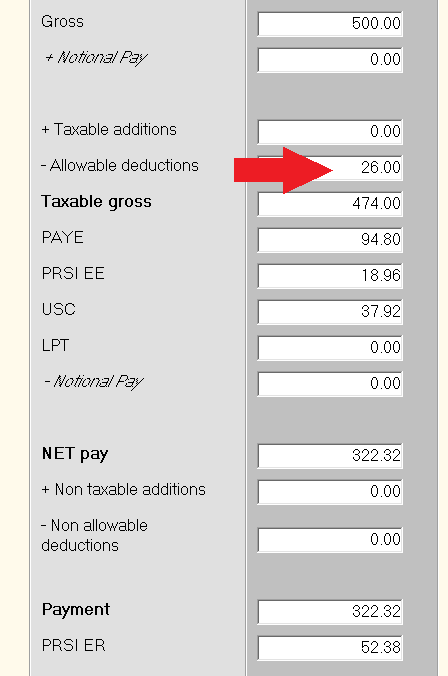
- Going forward, when the payroll is processed, the amount entered above will be deducted from the employee's wage before PAYE, PRSI and USC are calculated.
- An end date can be entered for the deduction by going to Utilities > 'Specify end dates for additions or deductions'.
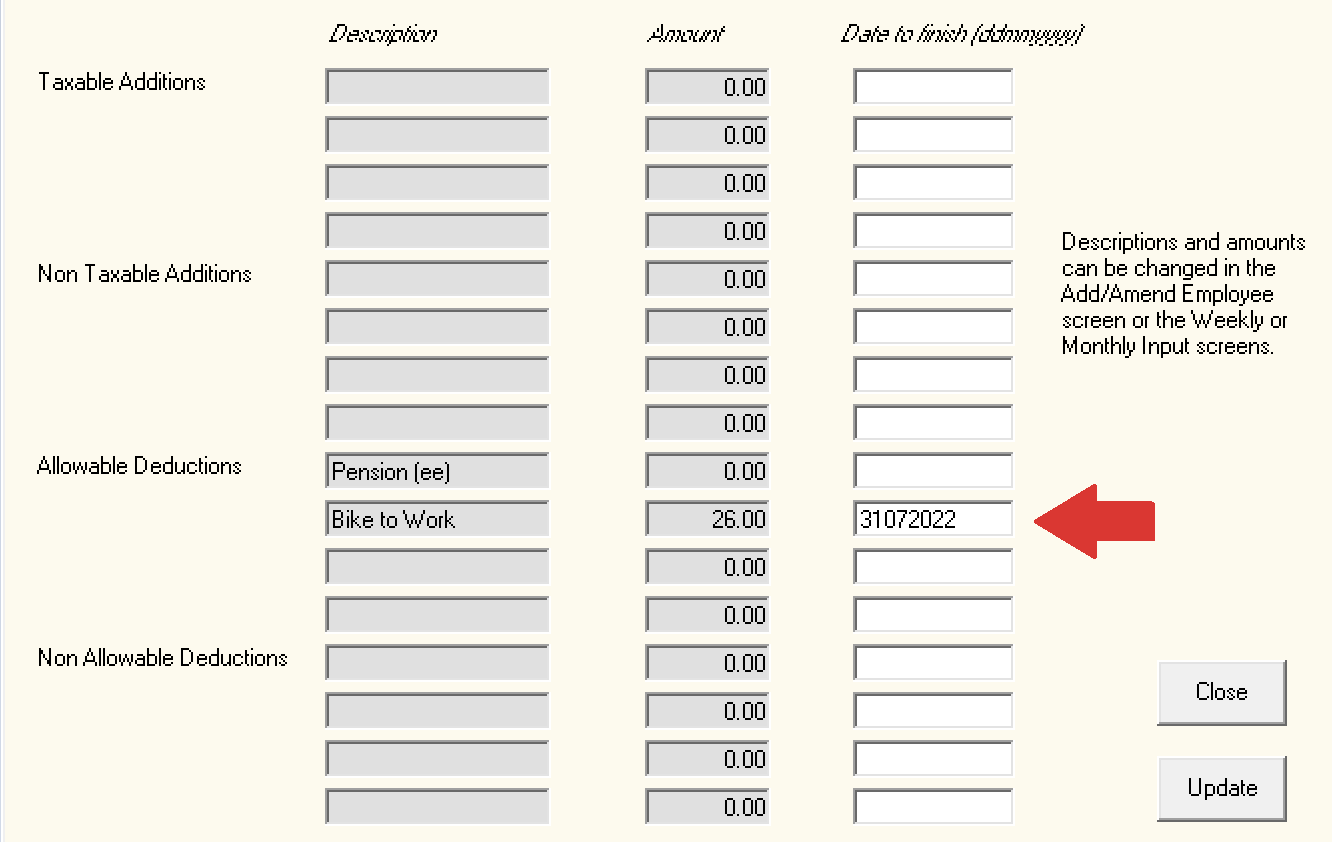
- If an end date is not entered, it will be the user's responsibility to stop/remove the deduction from the employee's payslip once the total cost of the bicycle and equipment has been recouped.
Please note:
- There is no PAYE, USC or PRSI due on the cost of the bicycle and/or accessories up to the limit of
€1,250 for normal bikes
€1,500 for pedelecs and electric bikes
€3,000 for cargo and electric cargo bikes
- The period to available of the cycle to work scheme is every four years.
- The maximum term for the repayment of the bicycle and equipment is 12 months.