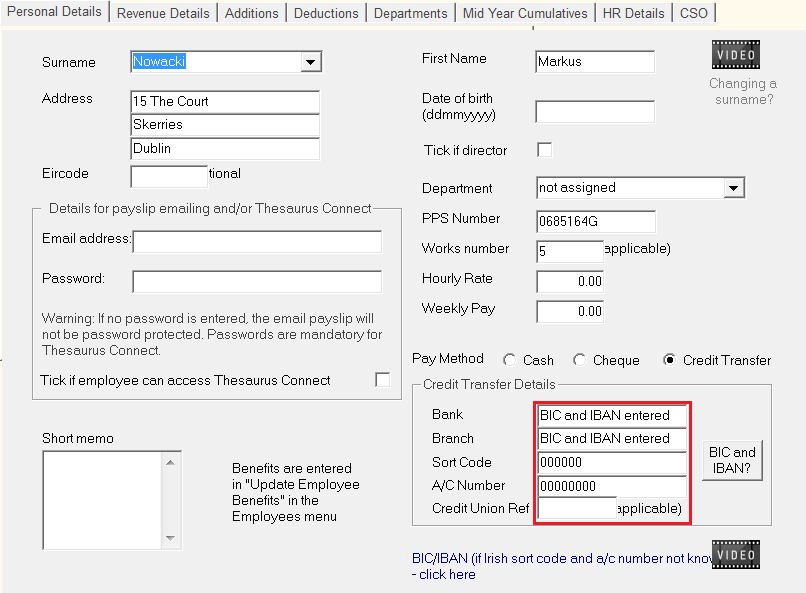
If you will be paying employees using a SEPA bank file and wish to enter the BIC and IBAN details in respect of a non-Irish bank account, this can be done as follows:
Go to Process Icon No. 1 or Employees > Add/Amend Employees
- Select the Employee
- Choose Cash as the payment type
- Update the employee record
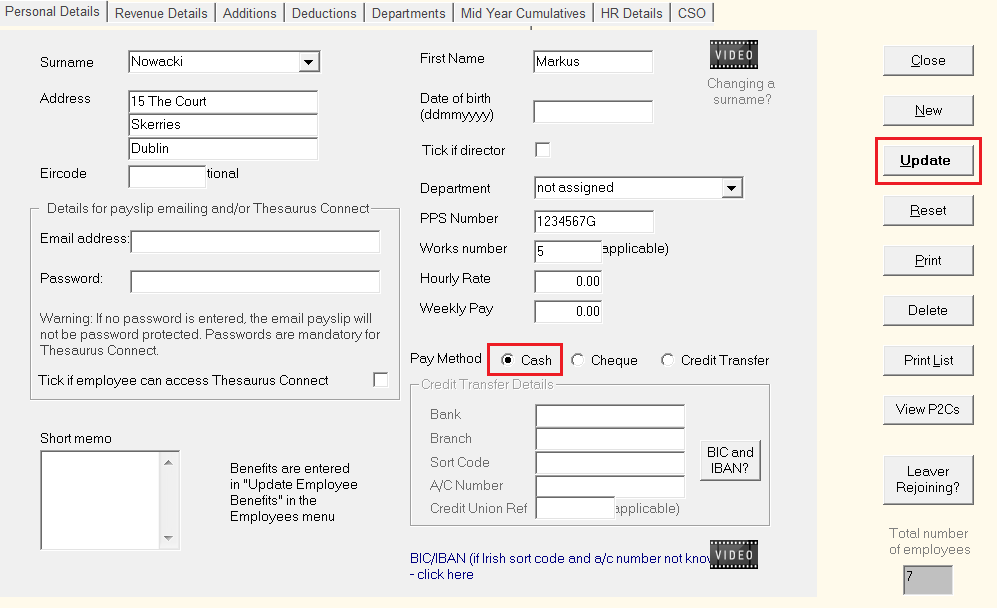
- Next, go to Employees > Enter BIC and IBAN
- Select the employee and enter their BIC and IBAN details
- Click Update
- When you next enter the employee record, their Pay Method will now be set to Credit Transfer.
- Bank accounts for which a BIC & IBAN have been entered will display a sort code of '000000' and an account number of '00000000'. No further action is required by the user - the BIC and IBAN entered will be automatically detected when a SEPA bank file is prepared in the software.