
In the event that you have forgotten your password to access your payroll data, an automated password retrieval facility is available within the software.
In order to enable this facility, users are initially required to enter a recovery email address. On opening the company for the first time, you will be prompted to enter the recovery email address you would like to use.
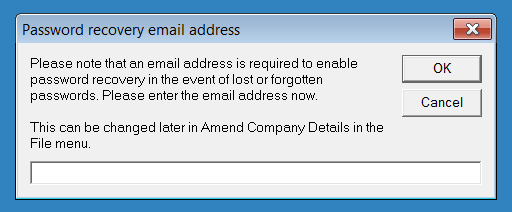
This can be changed later, if required, by going to File > Amend Company Details
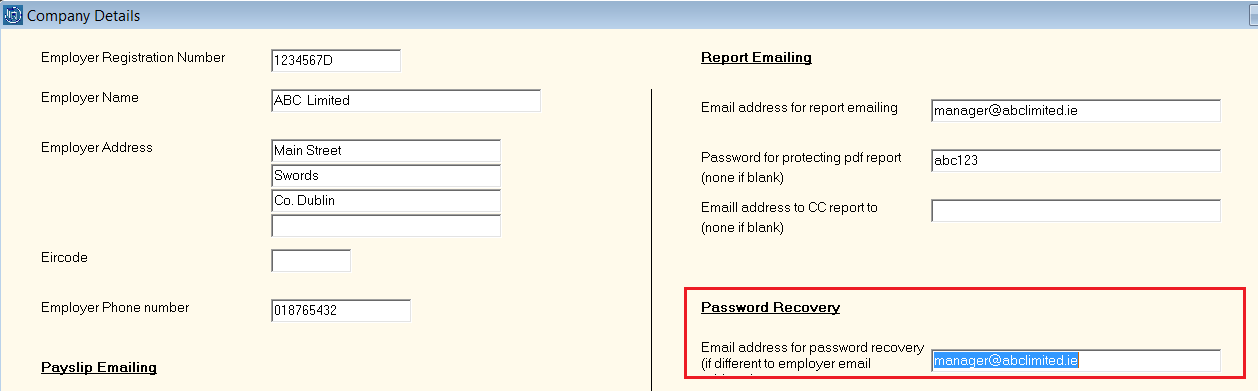
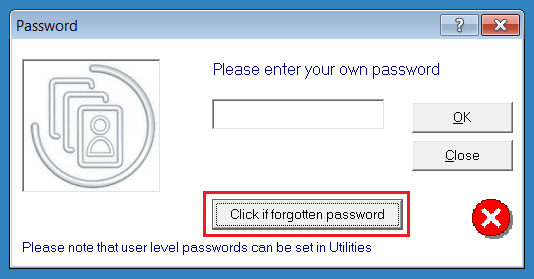
Once a recovery email has been set up, in the event that you have forgotten your original password, you can retrieve a replacement password by clicking on Click if forgotten password on the password entry screen.
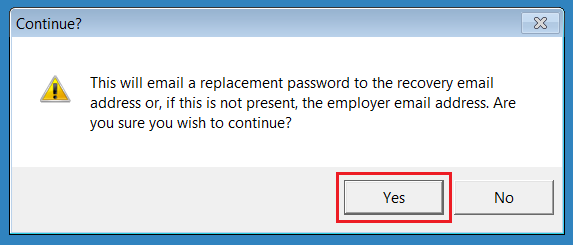
At the prompt, click Yes to send a replacement password to the recovery email address that has been specified. Please allow up to 15 minutes for this to send.
On receipt of your email, simply use the replacement password contained within the email to access your payroll.
Once you have accessed your payroll, you can subsequently change this password to one of your choice by selecting Amend System Password in the Utilities menu.
Please note: when changing your password, the recovery password that you input is case sensitive.
Never set a Recovery email?
If you have not set a recovery email address, you will need to contact our Support Team.
Please include:
• Your company name
• Your PAYE number exactly as it appears in Thesaurus
• A signed confirmation from the business owner requesting a password reset
Once we receive this information, we will reset your account and send you your new overriding password.