
The Check Revenue Record utility allows a user to retrieve and view the payroll run details held by Revenue for a selected pay period.
This can be used as a comparative tool in case of anomalies between Revenue's records and those within the software.
- To access this utility, go to Utilities > Check Revenue Record
A summary of payroll submissions made to Revenue will be displayed on screen.
- Select the pay period you wish to check with Revenue and click the Check with Revenue button
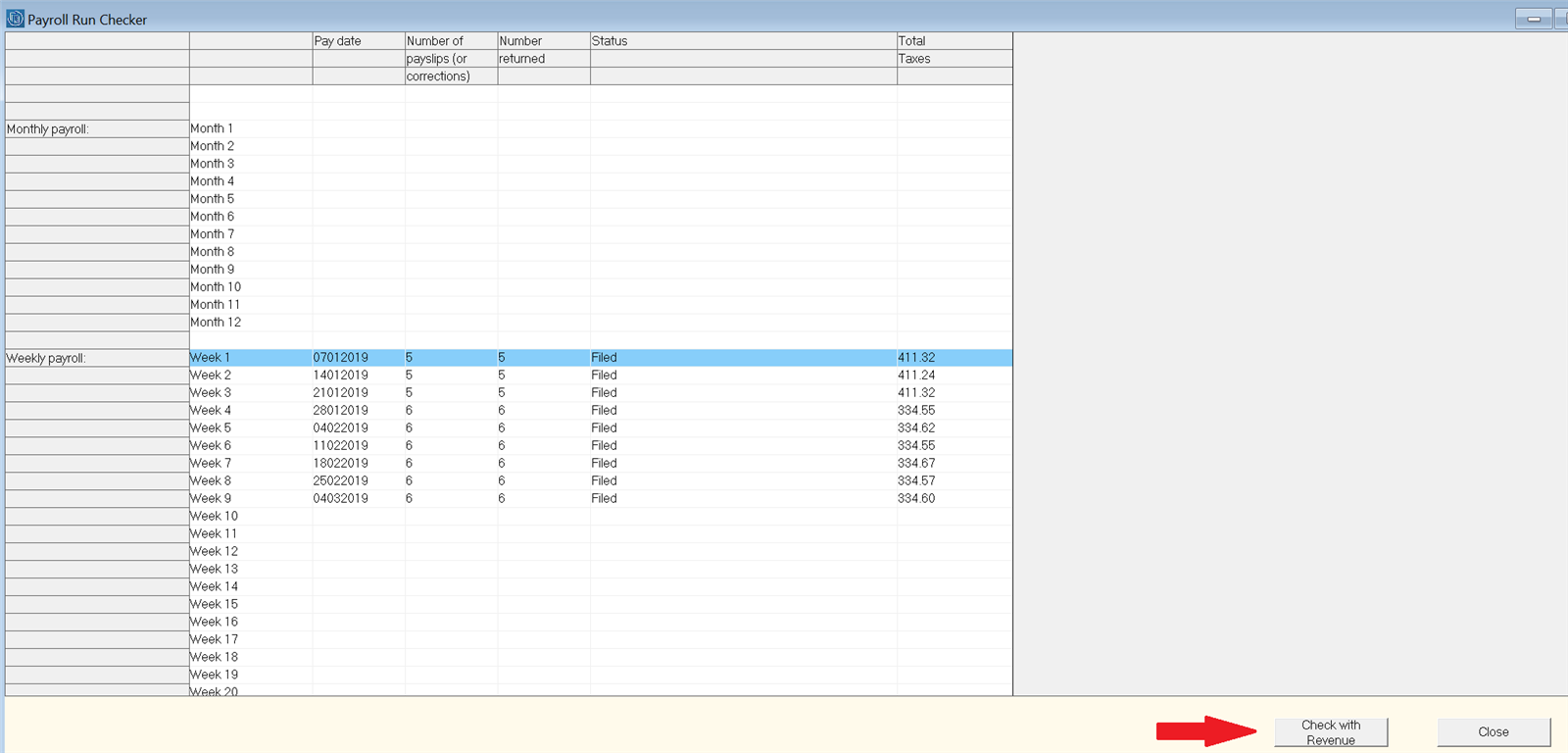
The software will automatically connect with Revenue's systems and retrieve the payroll run details held by Revenue for the pay period specified.
- A breakdown of the payroll run details held by Revenue will be displayed on screen:
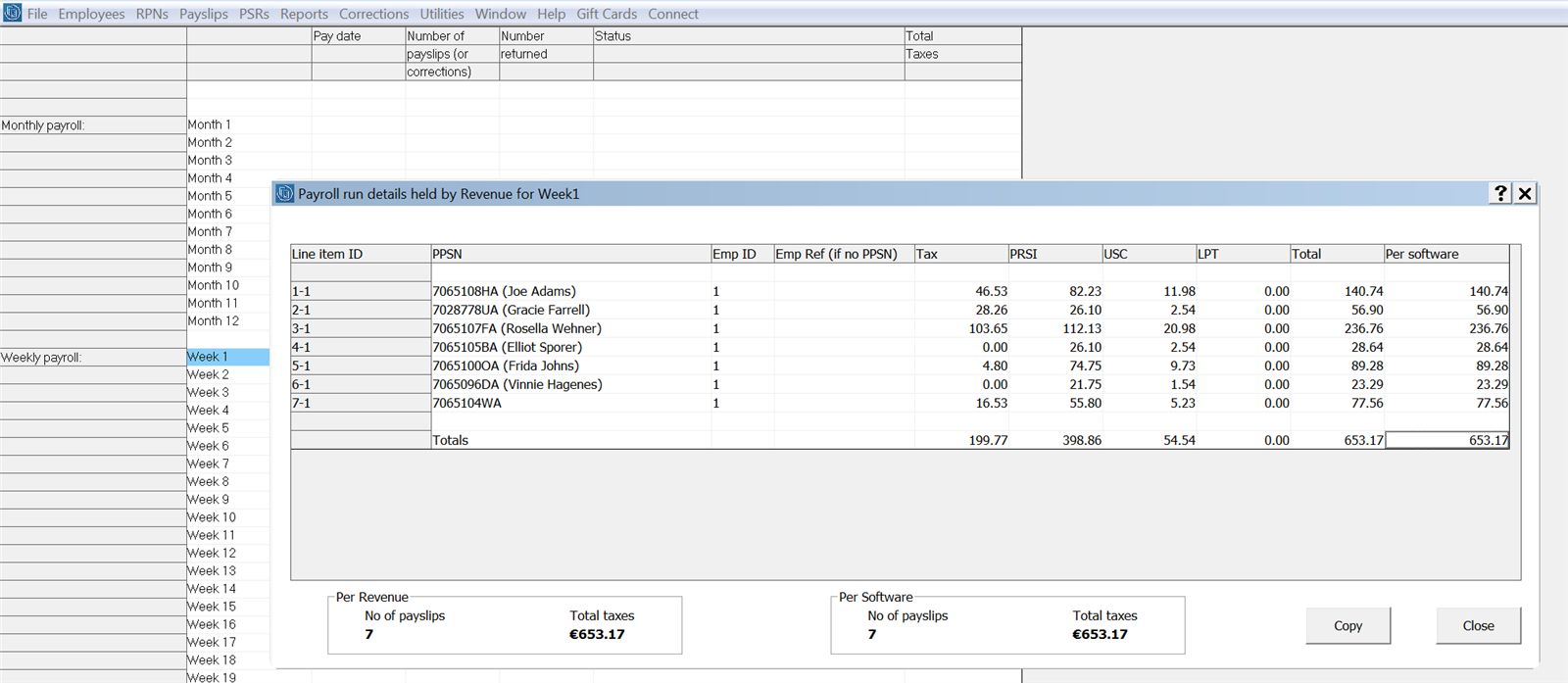
The breakdown for the selected pay run will confirm:
- the employees who were included in the payroll run and for whom Revenue has received their pay data
- the statutory deductions made from each employee
- the statutory deduction total per employee as per Revenue and the statutory deduction total per employee as per the software
- the total number of payslips as per Revenue and the total number of payslips as per the software