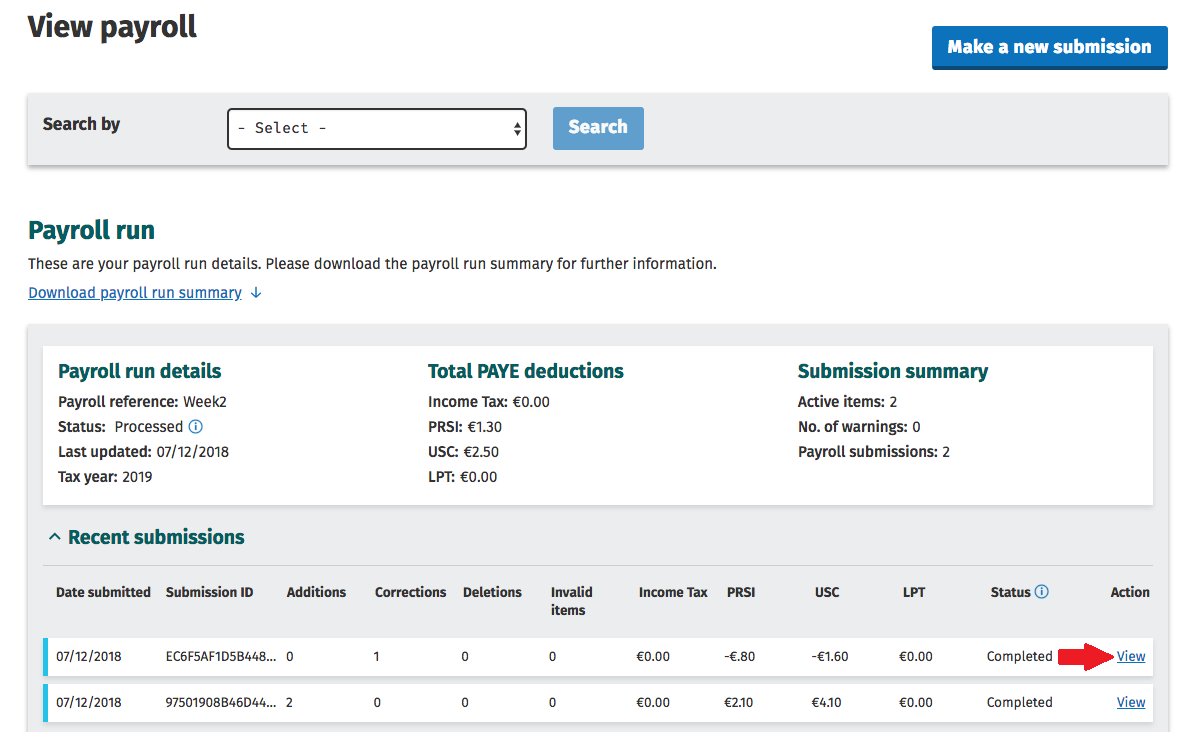
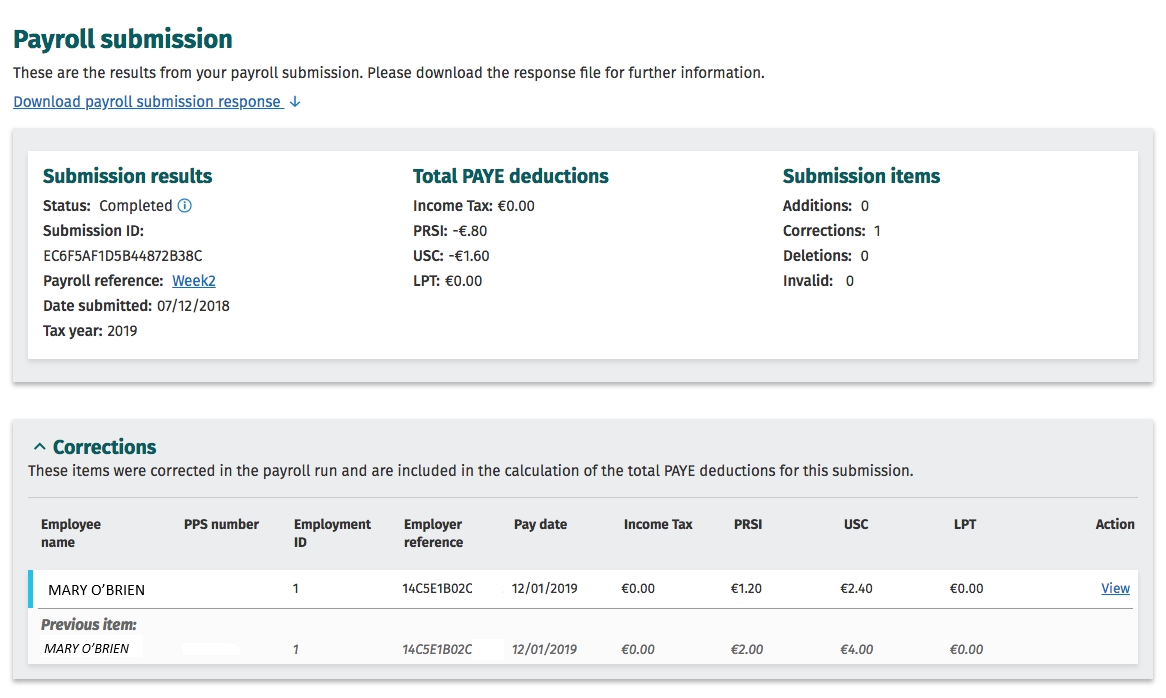
To view/check payroll submissions you have made to Revenue within your ROS account:
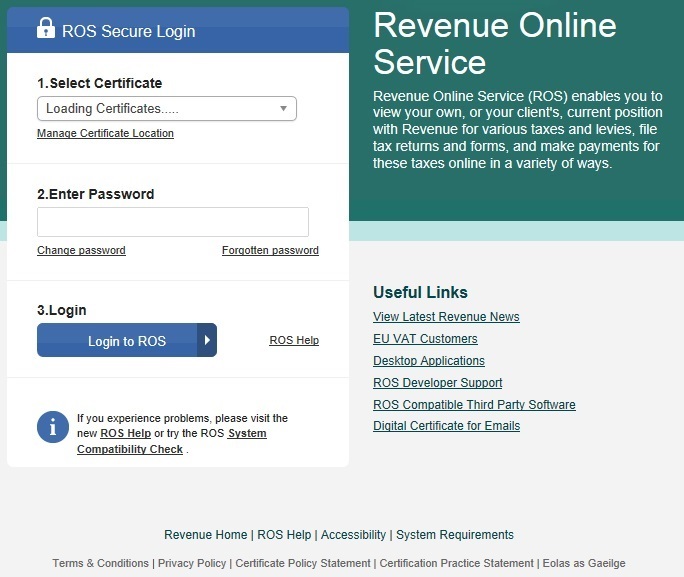
- Log in to your ROS account in the normal manner:
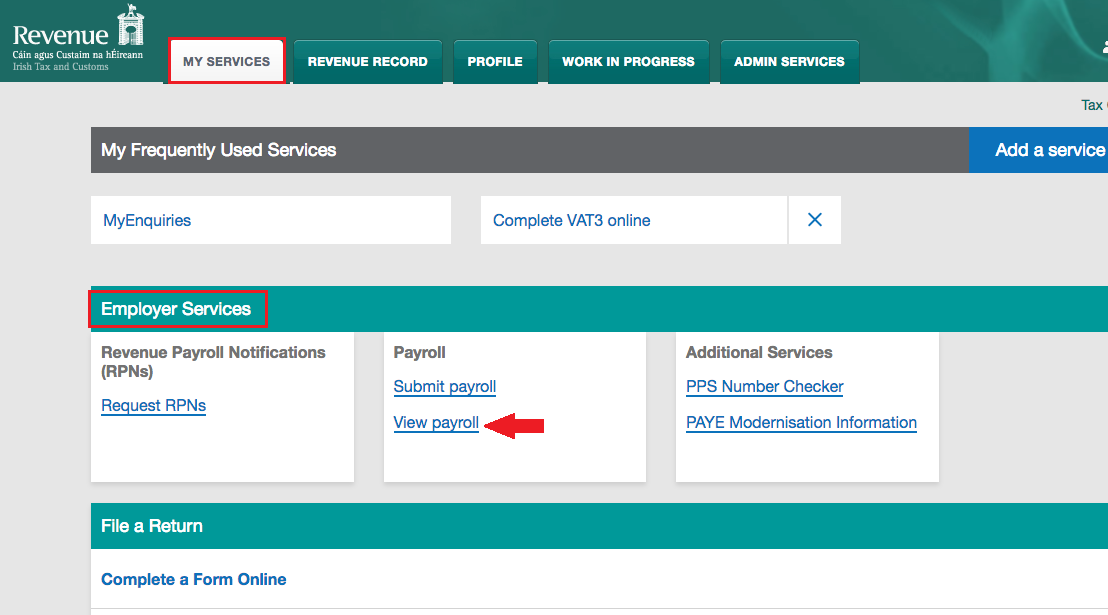
- Go to My Services > Employer Services > View Payroll
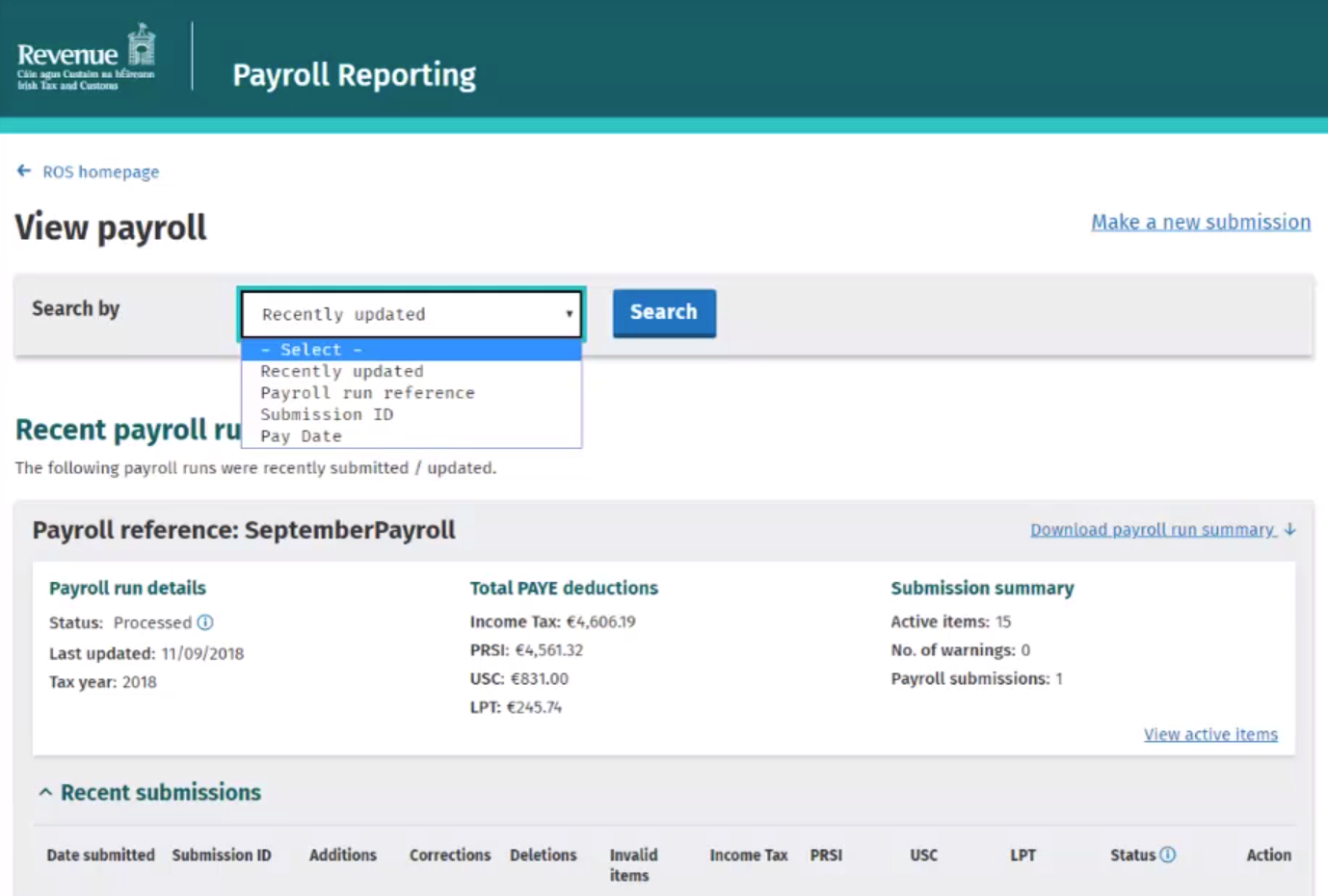
- By default, your most recent payroll run submission will be displayed automatically on screen, with recent submissions listed underneath.
A 'Search by' facility is also provided in order to assist in locating a specific payroll submission.
Please note: where a correction has been made to a particular payroll run, both the original submission and the correction submission will be available for viewing: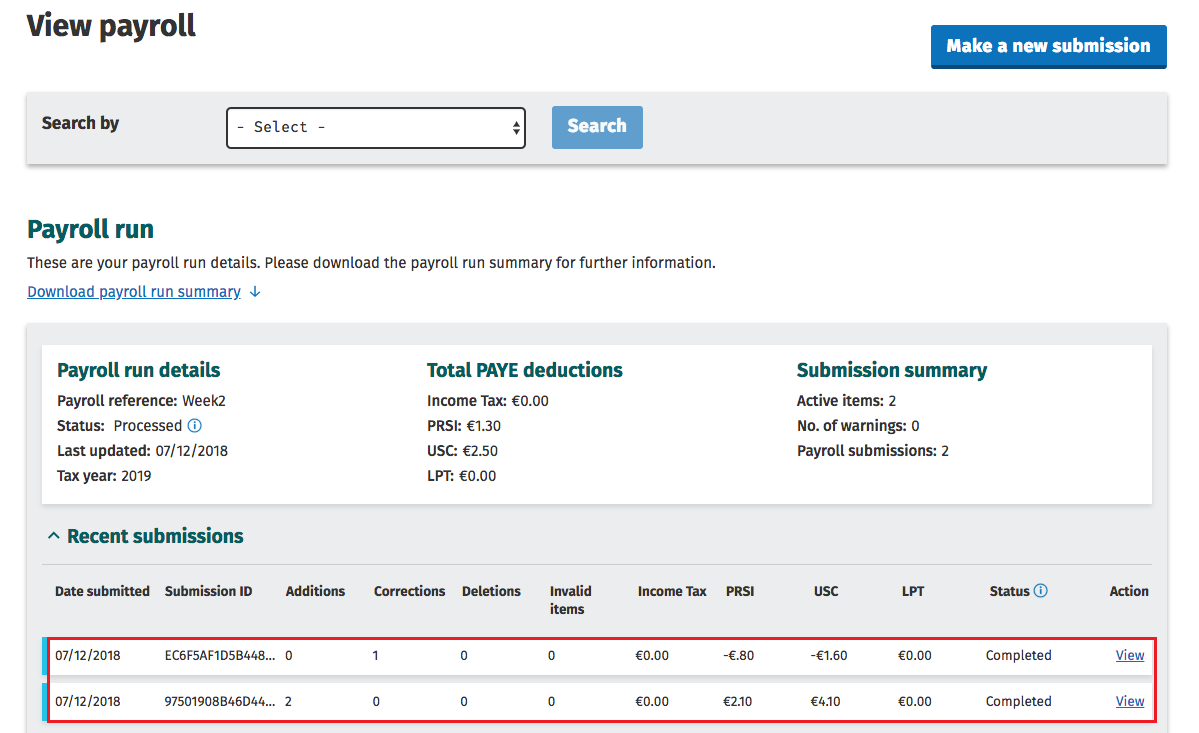
- To view the detailed contents of a payroll submission, simply click the View button: