With the introduction of PAYE Modernisation, the employer P30 return has been discontinued.
Revenue instead now issue you with a monthly statement based on the periodic payroll submissions you have made within the tax month in question. This statement of account is made available to view within your ROS account by the fifth day of the following month.
The monthly statement will show a summary of the total liability due, as well as the individual breakdown of your liability for income tax, USC, PRSI and LPT.
Tax Details Report
The Tax Details Report available within the Reports menu allows users to reconcile amounts within the software with those on the monthly statement issued by Revenue.
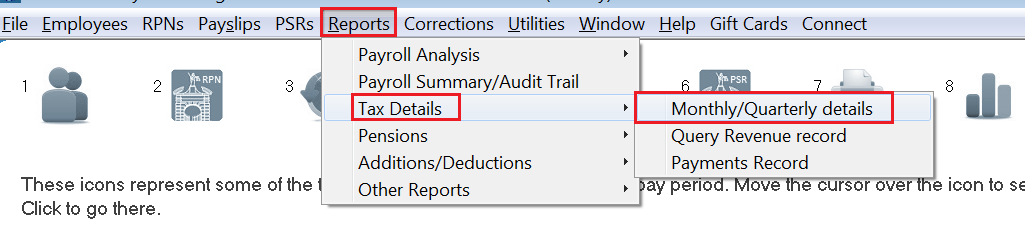
- To access this report, go to Reports > Tax Details > Monthly/Quarterly Details
This report will provide details of the tax liability owed to Revenue each tax month, or if you make payment to Revenue quarterly, a quarterly liability is shown also.
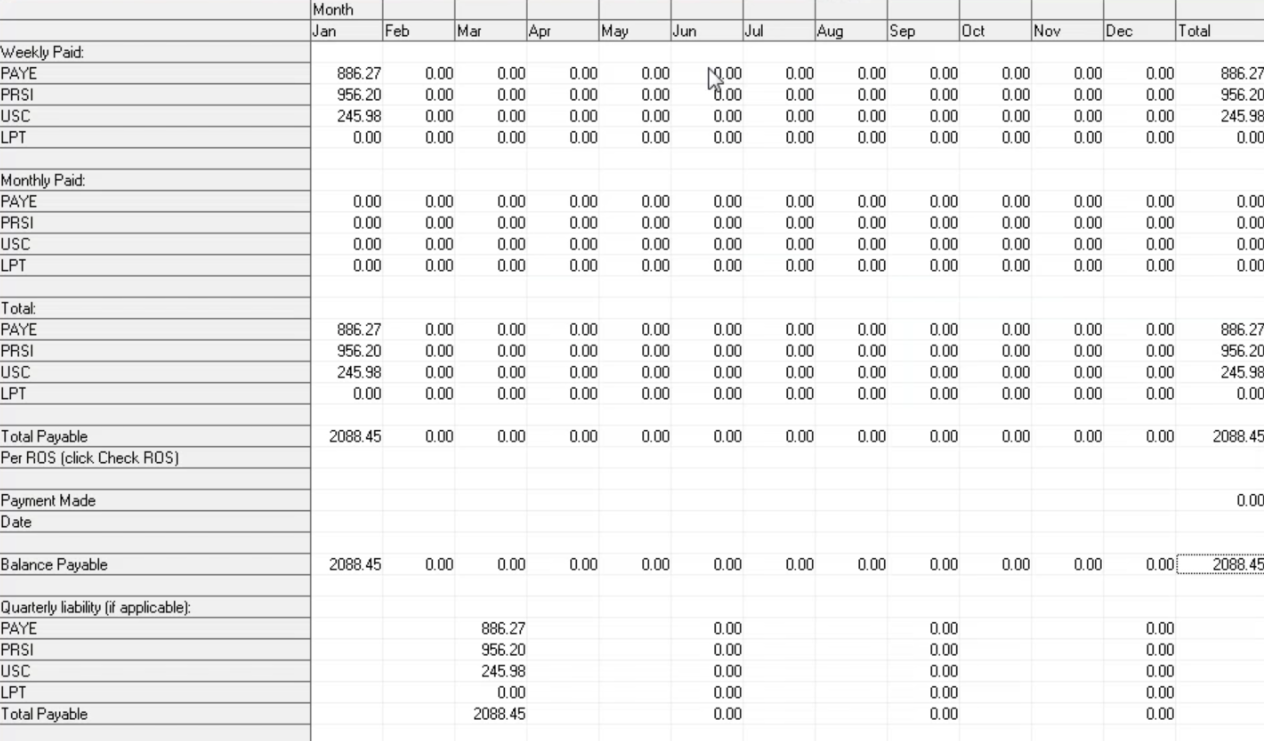
This report should always match the monthly statements issued by Revenue.
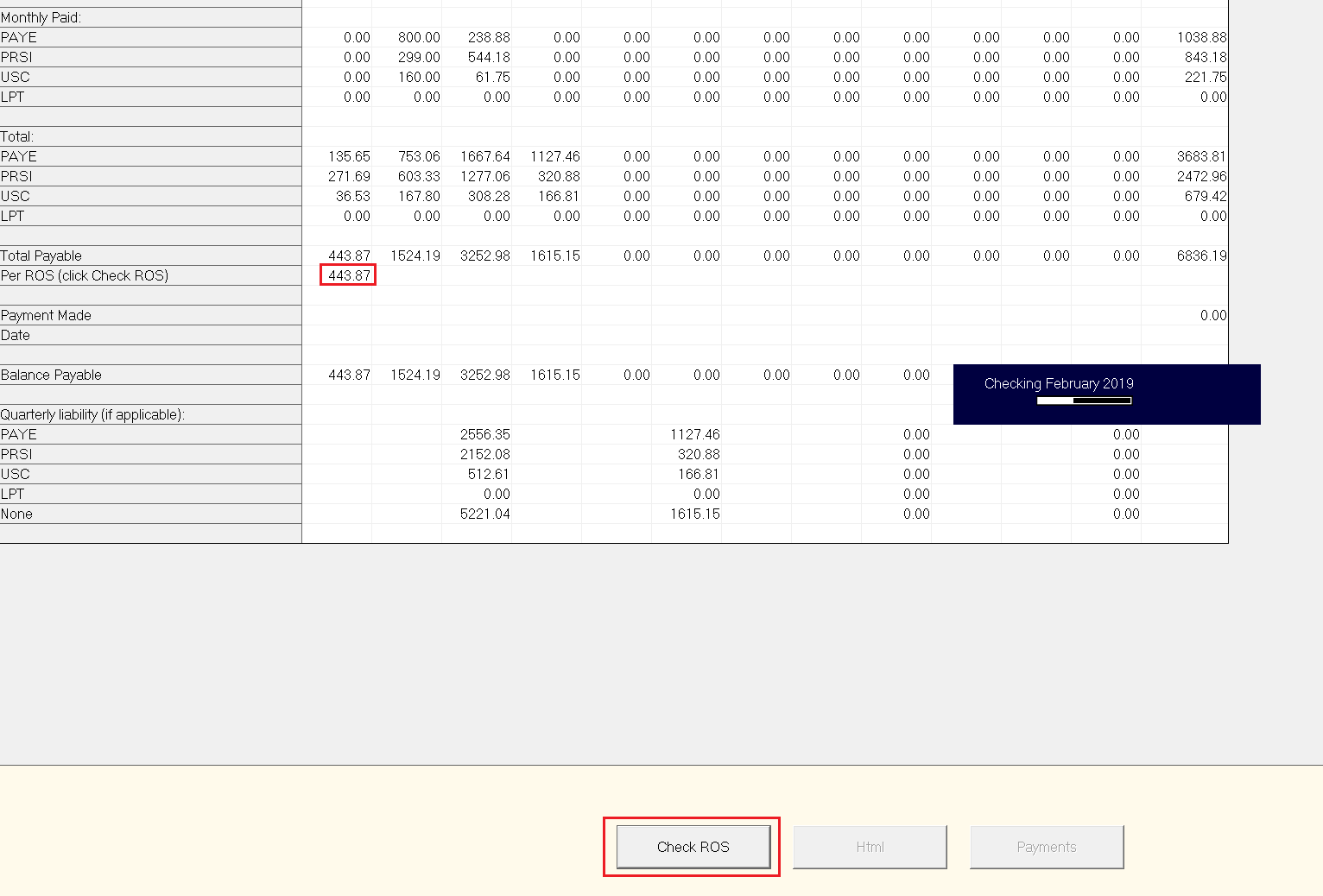
- Should you wish at any time to cross check the amounts shown on your report with those on your monthly statements, simply click the button 'Check ROS'.
The software will connect to Revenue's systems and retrieve the tax liability for each monthly statement that they have on record for you.