
Thesaurus Payroll Manager facilitates the processing of a post cessation payment to an employee who has left your employment during the current tax year.
To process a post cessation payment:
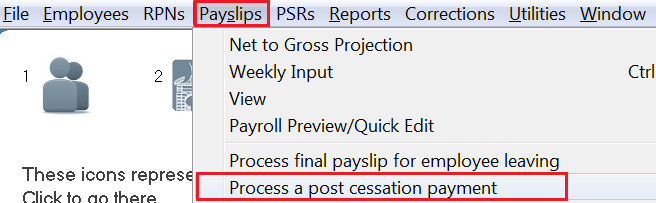
- go to Payslips > Process a post cessation payment
- select the employee using the drop down listing (please note: only employees who have been processed as a leaver in a previous pay period will be available for selection)
- Enter the Date of payment in the field provided
- Enter the Payment amount (before tax) - this is the gross payment amount, including any taxable lump sum amount if applicable.
- If a taxable or non-taxable lump sum on termination is to be included in the payment, enter these accordingly in the dedicated fields provided.
- Next, click Lookup RPN for this employee.
The software will automatically connect to Revenue and retrieve the tax credits and cut off points to apply to the payment.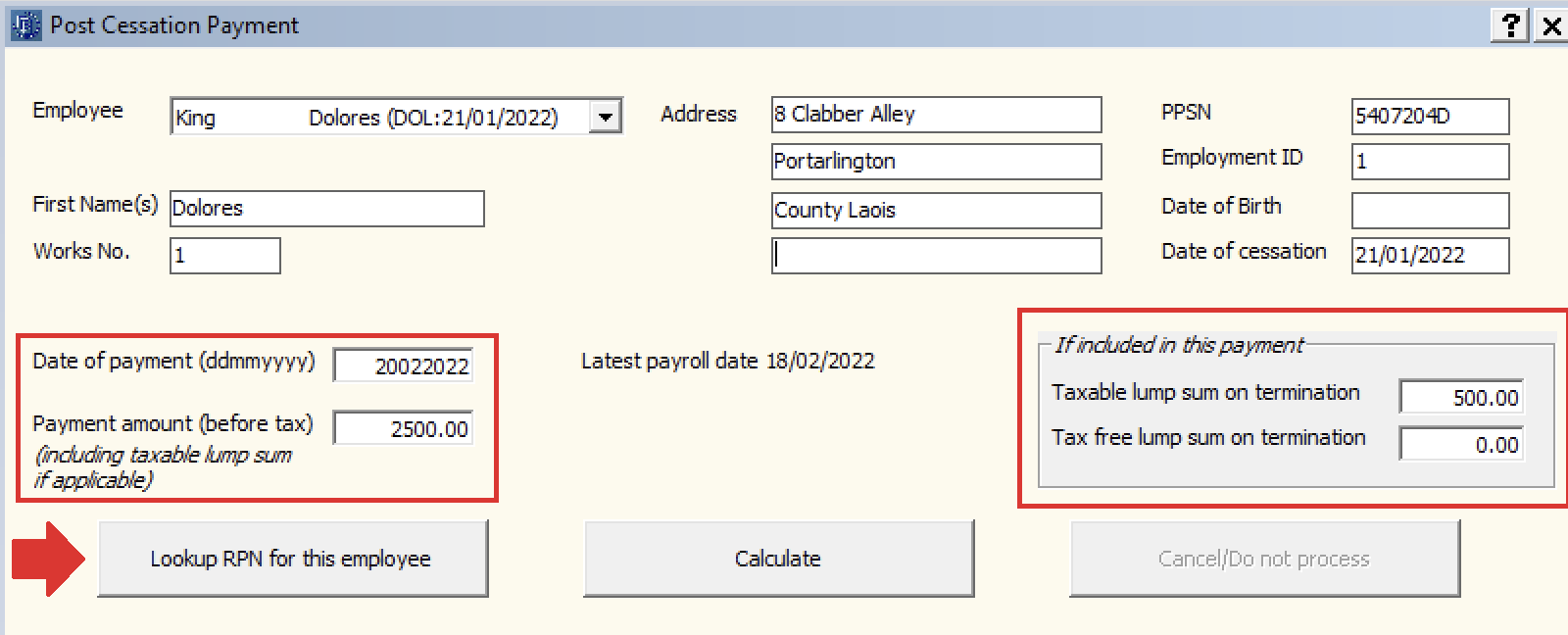
- Click Calculate. A breakdown of the deductions and the employee's Net Pay will be displayed on screen.
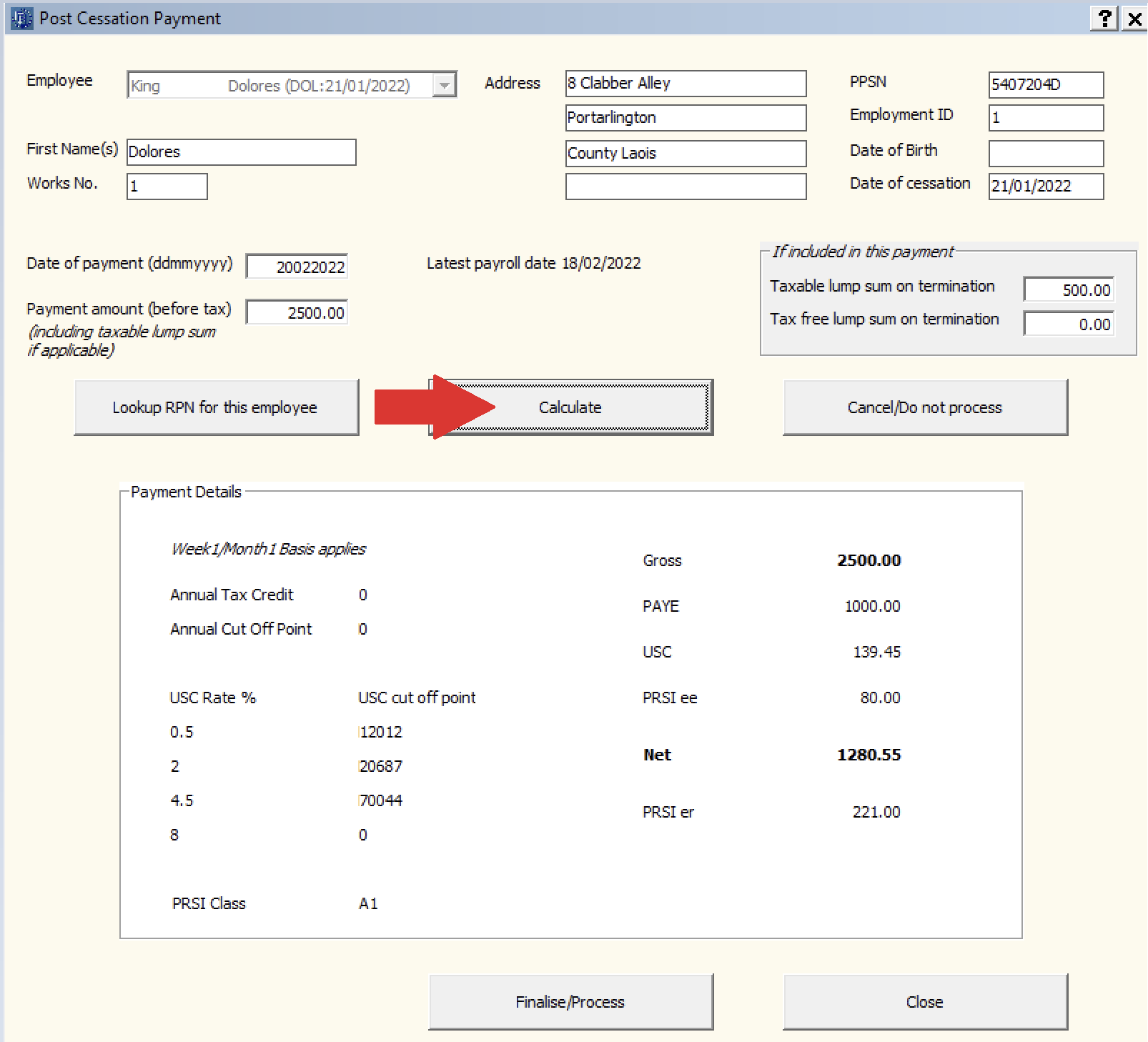
- Click Finalise/Process to complete the process.
A PSR containing details of the post cessation payment will now be created for submission to Revenue, when ready. This PSR will also include the employee's original employment ID and original cessation date, in order for Revenue to know this is a post cessation payment.
A payslip for the employee will also be available for printing/emailing within the Print/Email Payslips utility (Process icon no. 7).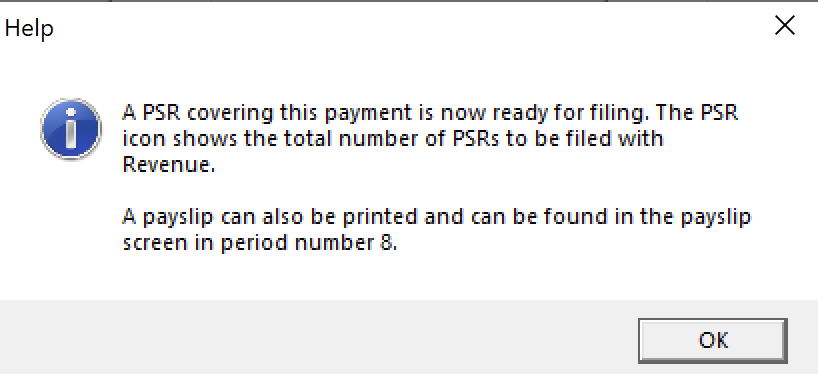
- Click OK, followed by Close.