Before processing each payroll run, you will first need to retrieve the latest Revenue Payroll Notifications (RPNs) for your employees from Revenue, in order to ensure the most up-to-date tax credits and cut off points are applied to their pay.
This in turn will update the 'Revenue Details' section of each applicable employee record accordingly.
- Each pay period, you will be given a prompt to import the latest RPNs before you begin processing your payroll.
Simply click Process Icon No. 2. to commence this task:

The software will automatically connect to Revenue’s systems and retrieve all available RPNs, which will then be displayed on screen.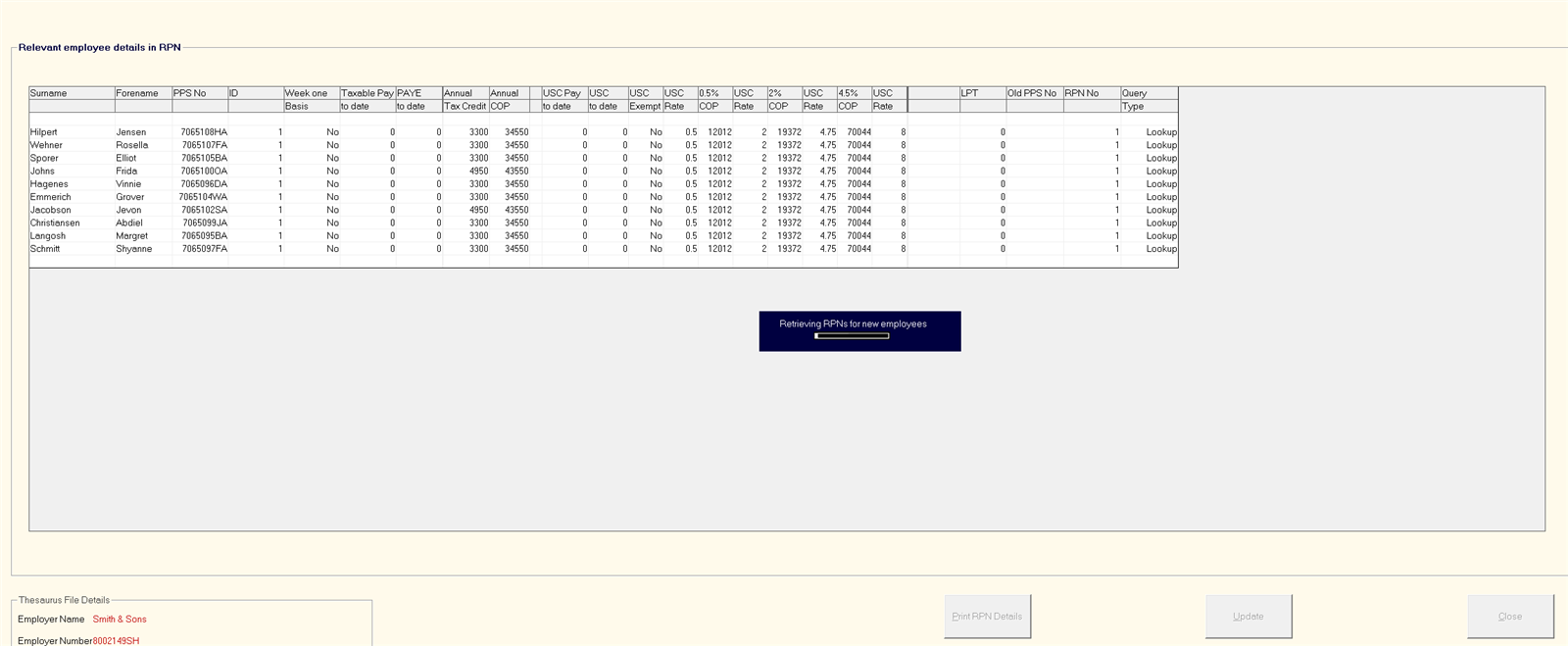
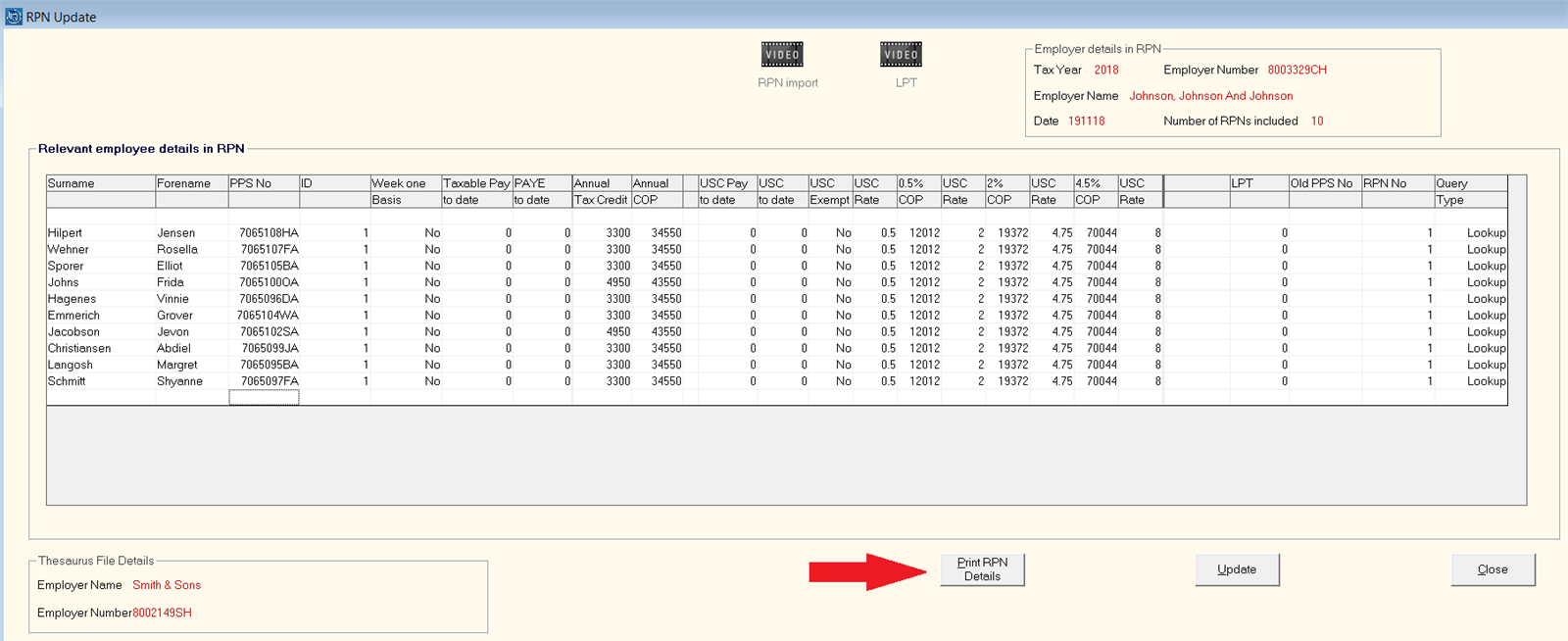
- Should you wish to print the RPN details displayed, click ‘Print RPN Details’ at the bottom of the screen:
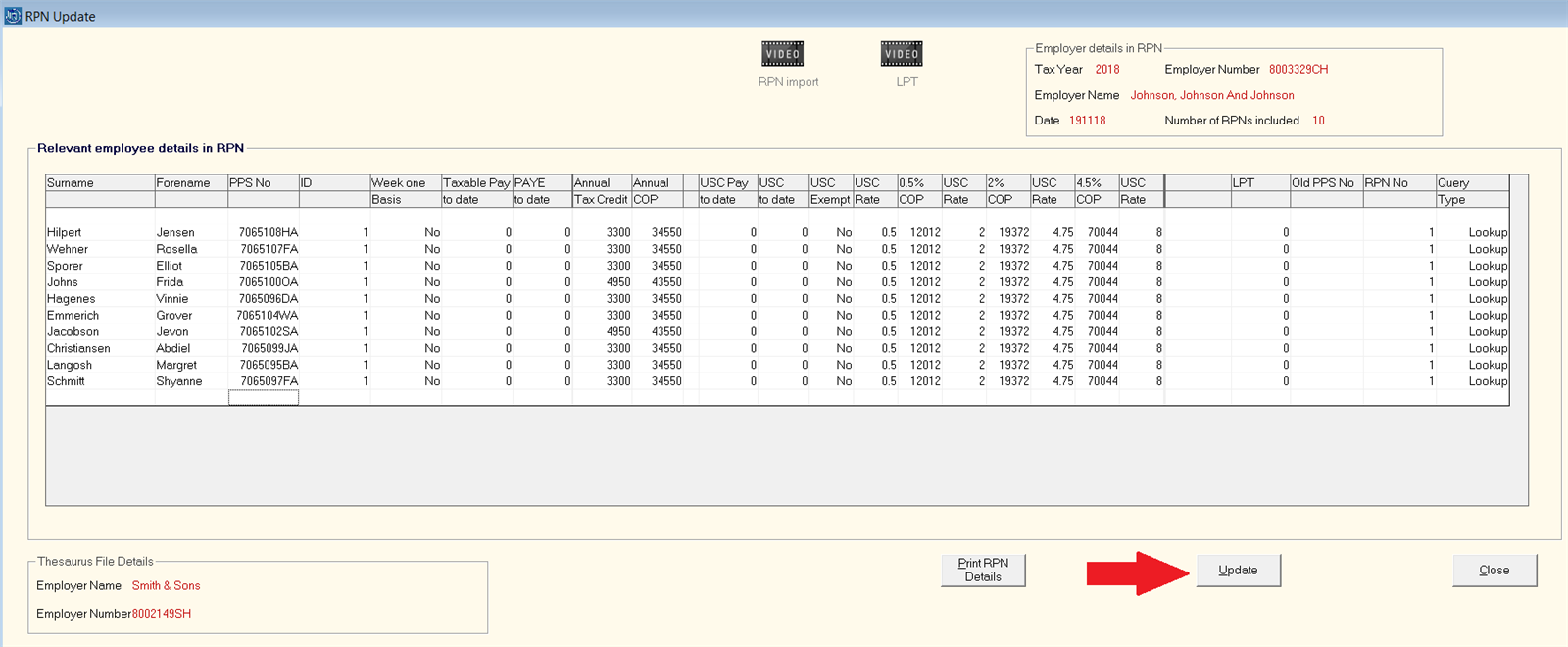
- When ready to update your employees’ revenue details, click ‘Update’:
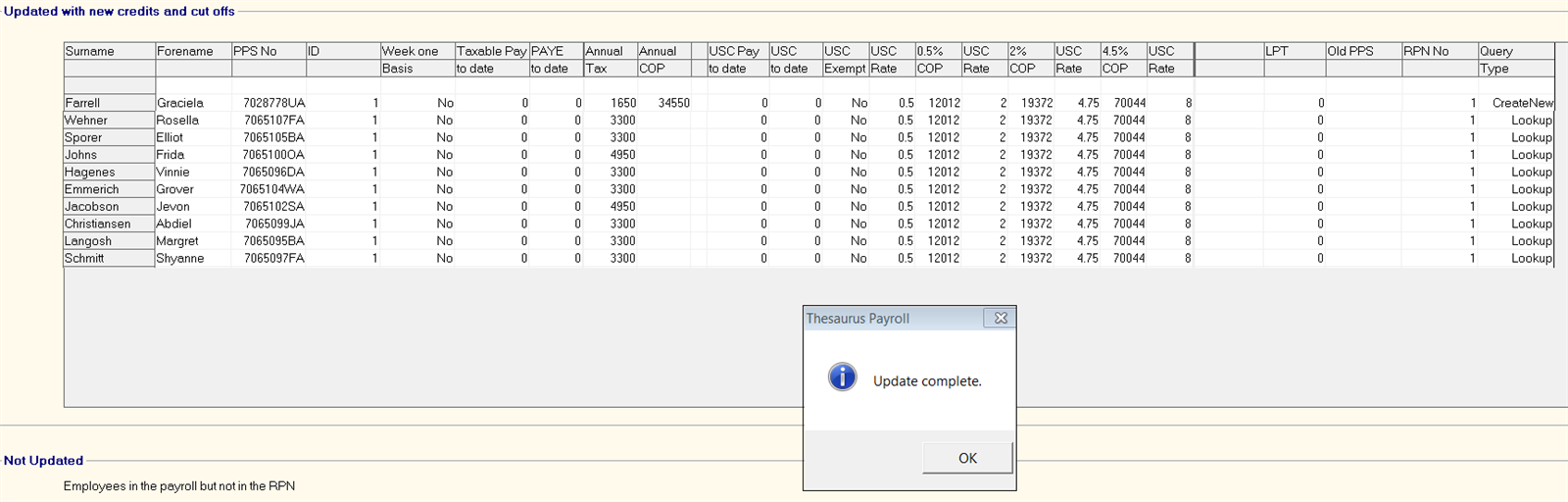
- The next screen will then confirm which employees have been updated with new revenue information:
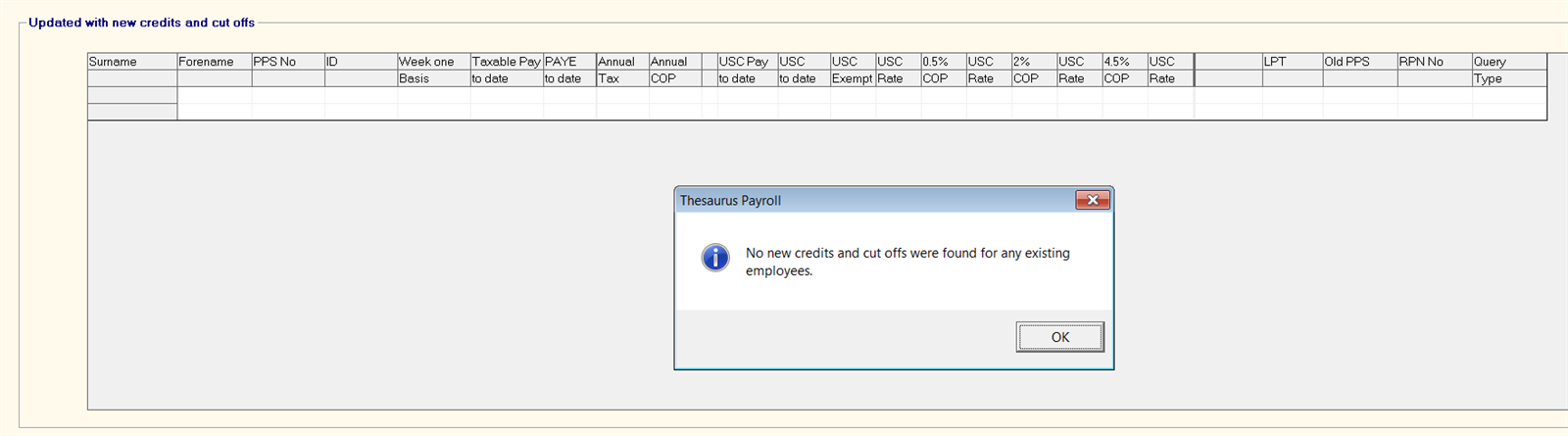
- Where there are no changes to apply to any employees, a confirmation message will appear to confirm that ‘no new credits or cut off points were found for existing employees’: