
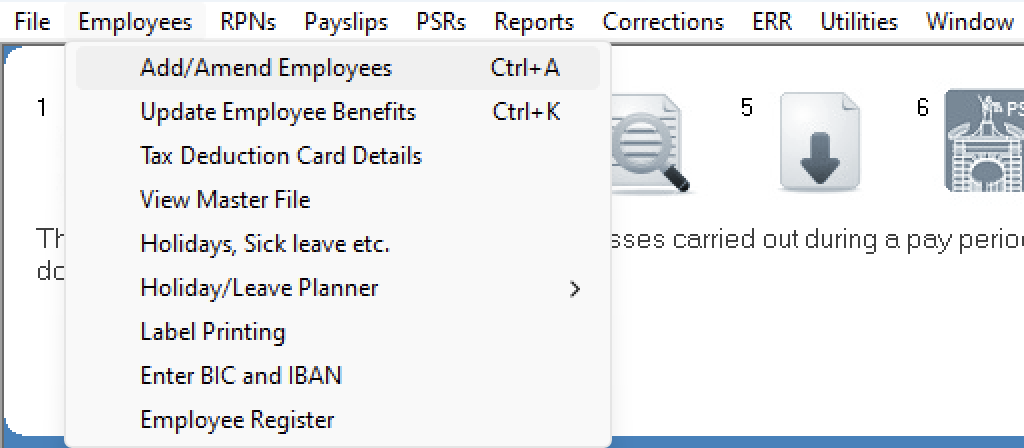
To access this utility, go to Process ICON no. 1:

or Employees > Add/Amend Employees:
Within the employee record, select the 'Additions' tab:
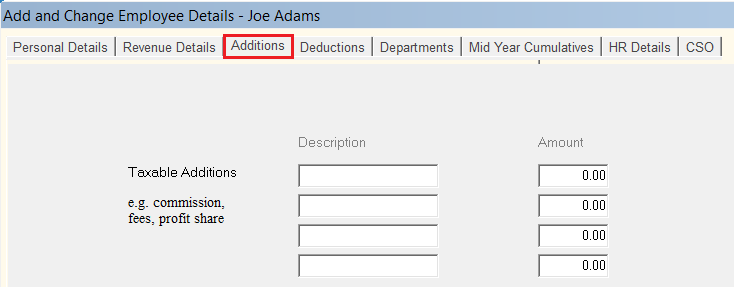
Please note: before proceeding you must first determine if the addition you wish to set up for an employee is 'taxable' or 'non taxable'.
or Employees > Add/Amend Employees:
Within the employee record, select the 'Additions' tab:
Please note: before proceeding you must first determine if the addition you wish to set up for an employee is 'taxable' or 'non taxable'.
Taxable Additions (Commission, Bonus etc)
- Enter a Description of the Taxable Addition e.g. bonus
- Enter the Amount
- If this is a once off addition, remember to revert the amount entered to zero in the next pay period
Non-Taxable Additions (Subsistence, Mileage etc)
- Enter a Description of the Non-Taxable Addition e.g. subsistence, mileage etc.
- Enter the Amount
- If this is a once off addition, remember to revert the amount entered to zero in the next pay period
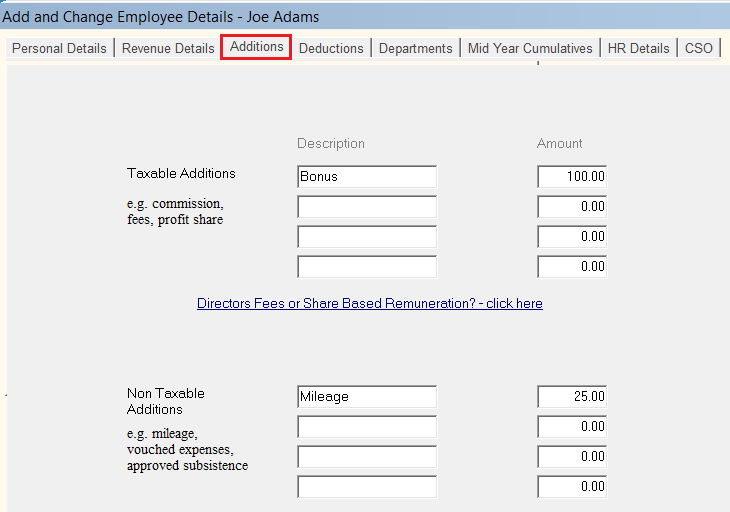
- Click Update to save the employee information
All additions entered will appear separately on the employee's payslip.
Specifying end dates for Additions
A utility is available within the software which allows you to specify a date on which a particular addition should end.
For assistance with this, click here